NETWORK TECHNOLOGY
Comprehensive IT solutions, support, security and automation for your business
Tech support: 24/7
+359 2 958 6535

Cloudflare vs reCAPTCHA: Faster Protection, No Friction

Swap reCAPTCHA for Cloudflare Turnstile: stronger bot defense, faster pages and GDPR compliance. Step-by-step setup for DNS, SSL, WAF and forms.

Fast IT help: We integrate Cloudflare + Turnstile (DNS, SSL, WAF, anti-bot) remotely (AnyDesk/SSH) in 15–20 min.

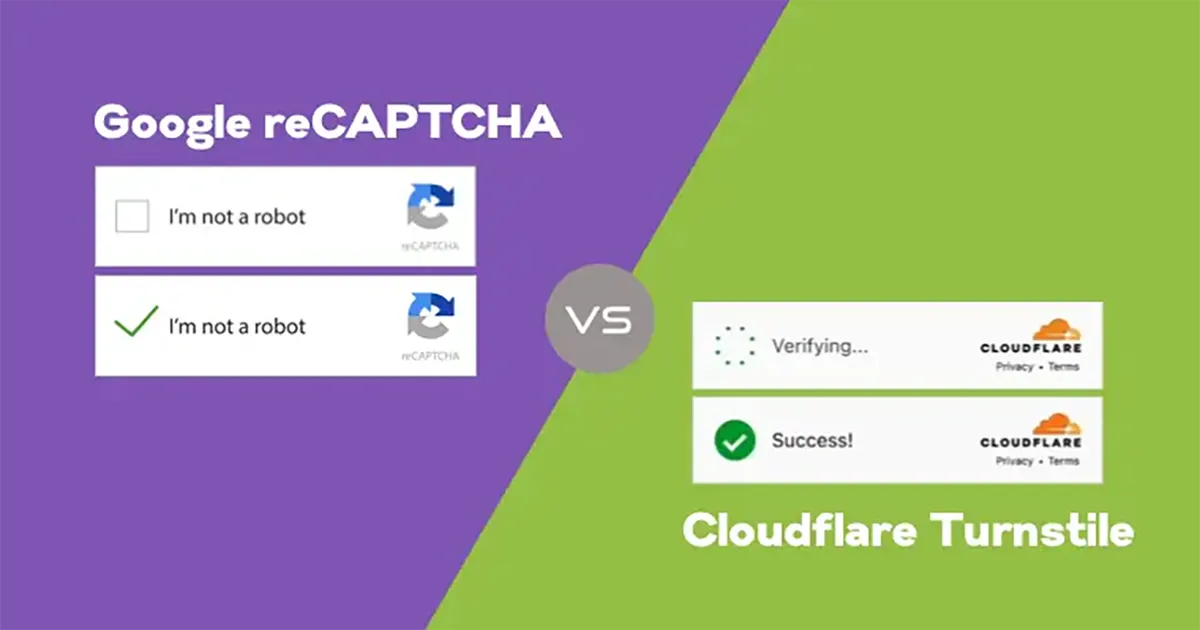
⚠️ reCAPTCHA often slows sites down, adds annoying challenges, and is increasingly bypassed by bots. Cloudflare Turnstile is a lightweight, GDPR-friendly alternative without images or clicks, leveraging Cloudflare Threat Intelligence to stop bots without hurting real users.

Cloudflare Turnstile – alternative to Google reCAPTCHA

With Cloudflare you get fast DNS & CDN, free SSL certificates, a powerful WAF, DDoS protection, and Turnstile to eliminate bots with near-zero friction. The result: better speed, security, and conversions.

Why Turnstile instead of reCAPTCHA

How we integrate Cloudflare (at a glance)

  1. Add the domain to Cloudflare and switch NS to Cloudflare nameservers.
  2. Enable Proxy (orange cloud) for public A/AAAA/CNAME records.
  3. Turn on SSL/TLS (Full or Full (strict)) and automatic HTTP→HTTPS redirects.
  4. Configure WAF and Bot Fight Mode for forms, login, and admin endpoints.
  5. Create Turnstile (Site key + Secret key) and embed it in your forms.
  6. Test real submissions, validate server-side, and enable Rate Limiting if needed.

Professional setup

The Network Technology team delivers end-to-end Cloudflare: DNS, SSL, WAF, caching, rules, Turnstile, and monitoring. Get speed, security, and higher conversions without annoying CAPTCHA checks.

Contact us: contact · See security services

How to integrate Cloudflare and Turnstile (step by step)

1) Add domain & DNS

2) SSL/TLS & redirects

3) WAF, Bot Fight & Rate Limiting

4) Turnstile keys

5) Embed in a form (frontend)

Contact form example (replace YOUR_SITE_KEY with your real key):

<form action="/send-mail.php" method="post" novalidate>
  <!-- ... your fields ... -->

  <div class="cf-turnstile mb-3">
    <div class="cf-turnstile-widget" data-sitekey="YOUR_SITE_KEY"></div>
  </div>

  <button type="submit" class="btn btn-primary">Send</button>
</form>

<script src="https://challenges.cloudflare.com/turnstile/v0/api.js" async defer></script>

6) Server-side validation (backend)

IMPORTANT: always validate the token on the server. PHP example:

<?php
$secret = 'YOUR_SECRET_KEY';
$token  = $_POST['cf-turnstile-response'] ?? '';
$ip     = $_SERVER['REMOTE_ADDR'] ?? '';

$ch = curl_init('https://challenges.cloudflare.com/turnstile/v0/siteverify');
curl_setopt_array($ch, [
  CURLOPT_RETURNTRANSFER => true,
  CURLOPT_POST           => true,
  CURLOPT_POSTFIELDS     => http_build_query([
    'secret'   => $secret,
    'response' => $token,
    'remoteip' => $ip,
  ]),
  CURLOPT_TIMEOUT        => 10,
]);
$res = curl_exec($ch);
curl_close($ch);

$data = json_decode($res, true);
if (!($data['success'] ?? false)) {
  // LOG & REJECT (show a message, do not send the email)
  http_response_code(400);
  exit('Invalid anti-bot check. Please try again.');
}

// ... proceed with handling/sending the email ...
?>

7) Test & monitor

Tip: combine Turnstile with server-side throttling (e.g., per-IP/hour limits) and a simple HTML honeypot field for best results.

❓ Frequently Asked Questions (FAQ)

Yes — it’s faster, avoids visual puzzles, and leverages intelligent bot signals. Expect higher conversions and less spam.

Yes — Turnstile avoids sharing data with ad networks and does not require user profiling.

Basic setup (DNS, SSL, Turnstile): 15–20 min. Full setup with WAF & rules: up to 1 hour.

Yes — add it to contact, comments, login/registration, and checkout forms. Many plugins already support it.

Tip: keep the Turnstile JS async defer and load it only on pages that actually contain a form.

Comments

Loading…
Only registered and logged-in users can comment.