Learn how to configure DNS Forwarders in MikroTik RouterOS — a practical guide for system administrators. Optimize speed, caching, public resolvers (Cloudflare,…
RouterOS (v6/v7) guide: forwarding, cache, DoH, port 53 enforcement, testing and diagnostics.
⚠ This guide targets system administrators. We’ll enable a local DNS cache, forward to public resolvers (Cloudflare/Google), optionally enable DNS-over-HTTPS (DoH), and enforce DNS through the router by blocking direct outbound port 53 from clients.
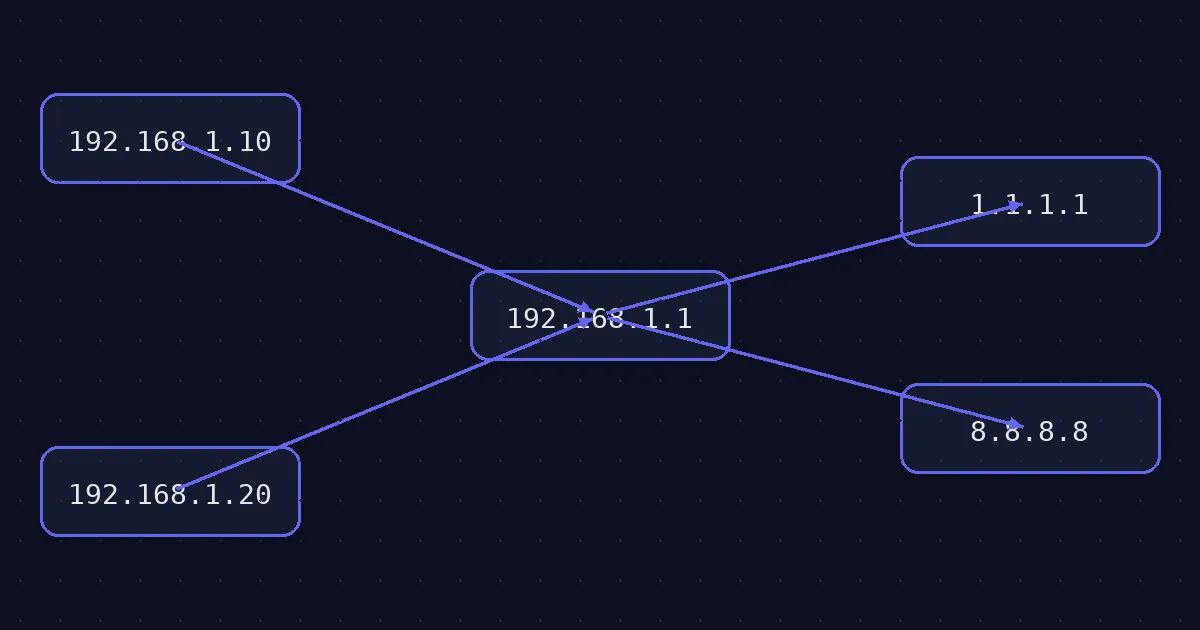
A local MikroTik DNS cache lowers latency and internet queries. Proper forwarding plus DoH improves stability, privacy, and control. With firewall enforcement, all clients use the router as their DNS.
MikroTik can cache and forward DNS queries to one or more upstream resolvers. Benefits: faster resolution (local cache), centralized policies (DoH/filtering), and reduced DNS leakage to the internet.
Enable the local resolver, set upstreams and a larger cache:
/ip dns
set allow-remote-requests=yes servers=1.1.1.1,1.0.0.1 cache-size=4096KiB max-udp-packet-size=1232
Alternative upstreams (Google):
/ip dns
set servers=8.8.8.8,8.8.4.4
Show current configuration and cache:
/ip dns print detail
/ip dns cache print count-only
/ip dns cache print where name~"ntg.bg"DoH encrypts DNS between the router and the public resolver — great for privacy and policy control in business networks.
/ip dns
set use-doh-server=https://cloudflare-dns.com/dns-query verify-doh-cert=yes
# or Google DoH:
/ip dns set use-doh-server=https://dns.google/dns-query verify-doh-cert=yes
Note: With DoH the servers= list isn’t used; queries go via HTTPS to the DoH endpoint. Ensure NTP/time is correct.
Allow DNS to the router itself (input) from LAN segments:
/ip firewall filter
add chain=input action=accept protocol=udp dst-port=53 in-interface-list=LAN comment="Allow LAN -> Router DNS (UDP)"
add chain=input action=accept protocol=tcp dst-port=53 in-interface-list=LAN comment="Allow LAN -> Router DNS (TCP)"
Block outbound DNS from clients to the internet (except the router itself):
/ip firewall filter
add chain=forward action=drop protocol=udp dst-port=53 out-interface-list=WAN src-address-list=!RouterIPs comment="Block direct UDP/53 from LAN"
add chain=forward action=drop protocol=tcp dst-port=53 out-interface-list=WAN src-address-list=!RouterIPs comment="Block direct TCP/53 from LAN"
Create an RouterIPs address-list with the router’s own addresses (loopback/interfaces), so you don’t block its DNS egress.
/ip firewall address-list
add list=RouterIPs address=192.168.1.1
# add others as neededResolution & cache:
/resolve ntg.bg
/ip dns cache print where name~"ntg.bg"
Check DoH (HTTPS reachability):
/tool fetch url="https://cloudflare-dns.com/dns-query" http-method=get keep-result=no
# Expect HTTP 200/OK (no need to read the body)
Log DNS queries (temporary debug):
/system logging add topics=dns action=memory
/log print where topics~"dns"
/system logging remove [find where topics="dns"]Email office@ntg.bg or request a consultation.
Tip: document the DNS policy (forwarders/DoH, TTL, logging) and validate with quick smoke tests after each change.